
💼 SME With AI: AI That Pays Off
An entrepreneur Michael Salvatore, 44, founder of Heritage Hospitality Group, used to pull cost-of-goods reports only once or twice a year for his two cafés, two bars, and bicycle shop. He spent hours manually calculating potential price adjustments based on the cost of raw materials.
Now, thanks to OpenAI’s ChatGPT and Google’s NotebookLM, he runs cost-of-goods reviews every three weeks instead of once or twice a year and making decisions better and faster.
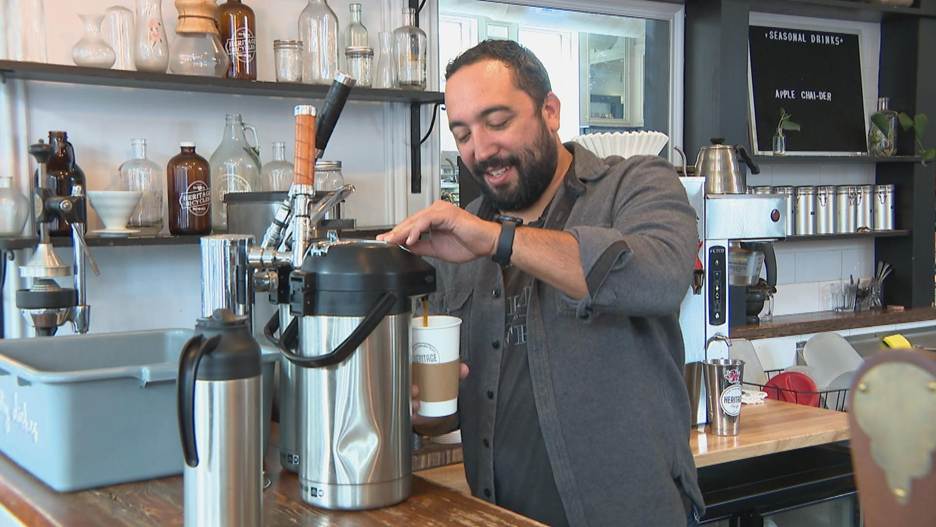
Michael Salvatore. WTTW News.
Here is Michael’s new AI-powered pricing review process:
- Uploads updated cost and pricing data into ChatGPT.
- Uses ChatGPT to calculate price adjustments and run margin scenarios.
- Exports sales data from his point-of-sale system and financials from QuickBooks.
- Feeds both data sets into Google NotebookLM.
- Receives an audio podcast from NotebookLM summarizing business performance and improvement ideas.
- Shares the podcast with managers to keep everyone aligned.
With AI streamlining operations, Michael now needs only one bar manager instead of two and chose not to replace the event planner who left earlier this year.
Even a 1–2% reduction in waste, combined with better price adjustments, can generate an additional $15,000–$30,000 per year for a business of his size.
Overall, we estimate that Michael’s new AI-powered workflow is likely saving his company over $100,000 annually.
📖 Source: These Small-Business Owners Are Putting AI to Good Use (WSJ)
⚙️ One of My Favorite AI Tools 📓
Just like Michael, I absolutely love Google NotebookLM.
In my view, it’s the most powerful note-taking and knowledge-management app on the market.
NotebookLM works entirely from your own files, giving you a private AI workspace. You can paste text, upload documents, and add links to webpages and YouTube videos. It can even analyze video transcripts and instantly draft summaries, reports, or briefs.
One of its standout features is Audio Overview (and Video Overviews), which turns your source materials into a podcast-style recap you can listen to on the go. In the story above, Michael used this feature to share insights with his managers in podcast form.
The free version includes generous daily limits: 50 chat queries, 3 audio overviews, 3 video overviews, and 10 report generations, more than enough for most small businesses.
If you want a single place to organize essential information, extract insights, and keep your team aligned, NotebookLM is a fantastic choice.
Note: I’m not affiliated with NotebookLM, just a big fan!
💡 One Practical Idea: Have You Set Up Your AI-Powered Holiday Folder Yet? 🎄
The holiday season is the busiest, most profitable, and often the most chaotic stretch of the year for small business owners.
Now it is a perfect time up a dedicated Holiday Folder in your AI chatbot.

Think of it as your central hub for everything that drives holiday performance: price adjustments, sales trends, competitive activity, customer feedback, inventory insights, staffing notes, bestselling products, seasonal promotions, and social media trends. Add receipts, ad results, supplier updates, and even quick voice notes with ideas for next year.
Use your Holiday Folder daily to make smarter decisions, like pricing and inventory adjustments, product and sales management, scheduling, marketing and promotion.
If you work inside Google Workspace, the paid version of Google Gemini is ideal because it can access your Google Drive files directly.
If your business runs on Microsoft 365, then Microsoft Copilot is your best choice, with direct access to OneDrive, Outlook, and your desktop.
Both tools can analyze your Holiday Folder instantly and generate insights, predictions, and recommendations based on your real business data.
Here are AI prompts you can use daily to get value from your Holiday Folder:
- “Analyze the sales data inside my Holiday Folder and tell me what’s trending up or down this week.”
- “Review the price adjustments in my Holiday Folder and suggest improvements based on current demand.”
- “Summarize the customer feedback stored in my Holiday Folder and highlight urgent issues.”
- “Compare the promotions saved in my Holiday Folder to my competitors. What gaps or opportunities do you see?”
- “Using last year’s data and this year’s sales in my Holiday Folder, predict demand for this week.”
- “Draft three holiday social media posts based on the trends in my Holiday Folder.”
- “Identify slow-moving inventory listed in my Holiday Folder and recommend bundles or discounts.”
- “Create a weekly holiday performance report using the documents in my Holiday Folder.”
- “Based on everything in my Holiday Folder, what should I prioritize today to maximize holiday sales?”
Setting this up now to give your business a stronger, more profitable holiday season.
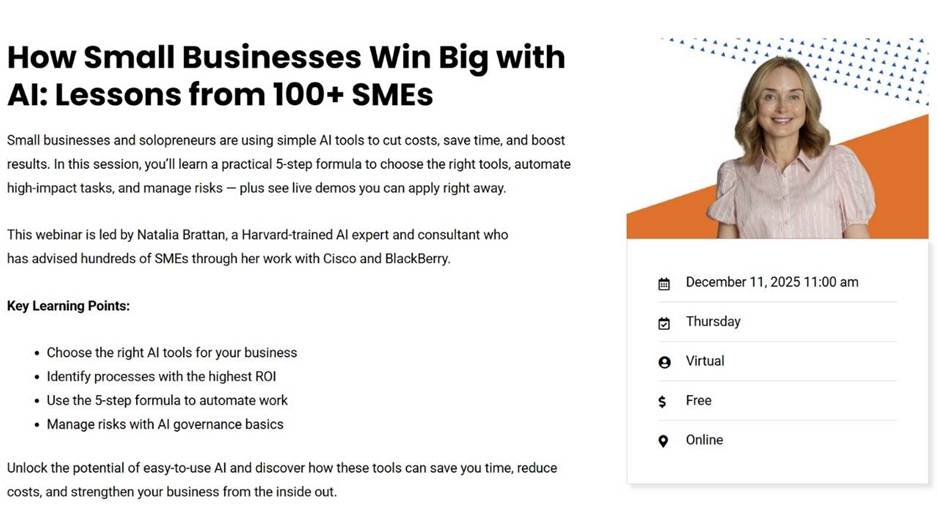
📅 Free Webinar!
Join me on December 11th
🌐 https://businesslink.ca/event/how-small-businesses-win-big-with-ai-lessons-from-100-smes/
Talk soon,
Natalia