
👋 Welcome back to AI for SME Success, your weekly dose of practical AI insights for small businesses.
Today we cover:
- ChatGPT-6 Astra vs Claude Opus 5.5: Which wins?
- A solopreneur’s playbook for employing AI agents
- How to prevent AI errors from snowballing
- How to use AI without worrying about hallucinations
Let’s dive in! 👇
⚔️ ChatGPT-6 Astra vs Claude Opus 5.5: Which Wins?
OpenAI released GPT-6 Astra on September 3, and Anthropic released Claude Opus 5.5 on September 22. Both are among the most advanced AI models available today.
How do they compare?
On benchmarks, they’re nearly tied. LLM Stats scores them 59.7 (Claude) and 59.5 (ChatGPT). We tested both models ourselves, and we also checked three reviews most relevant to small businesses.
Progressive Robot’s review. Claude won 4 out of 7 tasks, both on paid 20$ plans.
- Claude Opus 5.5 won: Planning complicated tasks, making decisions, writing that sounds natural, and analyzing information.
- ChatGPT-6: Creating a well-organized plan, learning, and everyday quick questions.
Tom’s Guide’s review. Claude won 4 out of 5 tasks. ChatGPT’s provided answers faster.
- Claude Opus 5.5 won: planning with constraints and judgment, human-like writing, choosing the best option out of three.
- ChatGPT-6 won: writing in a plan based on a vague request.
Nate Herk’s review. Claude won 8 out of 12 tasks. Astra used about 45% less time and about 38% less in estimated costs.
- Claude Opus 5.5 won: building a branded website, editing a reel, turning a recording into a reel, creating a slide deck, creating a 3D image, and drawing an illustration in Canva.
- ChatGPT-6 won: making a game, planning a trip, running a coding challenge, and making an Instagram carousel.
Takeaway: Claude Opus 5.5 generally produced better work, while ChatGPT-6 Austra is faster and offers more on its free plan. We use both: ChatGPT for quick answers and Claude for in-depth work.
🔍 A Solopreneur’s Playbook for Employing AI Agents
Brian Kelly, a former CNBC “Fast Money” trader, runs his trading firm, Bracket22, entirely on AI agents.
On September 8, Kelly told CNBC that his old fund’s seven or eight employees cost roughly US$5 million a year. His agents and computing now cost US$30,000 to US$40,000 a year.
According to Moneywise, he started last November by pasting charts into Claude and asking for a technical read.
Kelly’s playbook:
- Separate the duties. Each of Kelly’s AI agents has one job: Houston coordinates, Steffi reads charts, Desmond runs quant strategies and Doocy leads the red team.
- Keep agents independent. Kelly isolates the agents to get “their unbiased view.” Each one reportedly keeps its own memory.
- Appoint a skeptic agent. Once research is done, Doocy’s job is to “attack this entire thesis, see if you can break it.”
- Keep human approval. Agents do the research but don’t trade. Kelly reviews their output and makes every final call.
Kelly says his setup has made him at least 10 times more productive, though he hasn’t disclosed returns.
Takeaway: AI can quality control AI-generated work in various ways. For example, Pfizer CEO Albert Bourla gives Claude’s answers to Gemini to critique. Another option is a looping, where AI reviews and revises its own work on each loop. You can also set up a red-team agent like Kelly’s.
❄️ How to Prevent AI Errors from Snowballing
AI errors don’t add up. They multiply.
When AI works step by step, each step builds on the last, so an early slip gets carried forward instead of caught. Tom Pearson of Highland Edge runs the numbers: at 95% accuracy per step, a 10-step workflow succeeds 60% of the time. At 20 steps, the length of most real automation, success falls to 36%.
In a recent article published by Canadian Underwriter, Markel’s Joshua Thomas explains how one misread detail can travel through several systems, growing at every stop. For a small business, picture an AI agent misreading one invoice total, then posting it to your books, sending the client the wrong reminder and skewing your cash forecast. Each step looks fine on its own.
Better prompts can’t address this problem. When wrong answers seep into the AI’s memory, assistants degrade at a rapid speed.
How to minimise the snowball of AI errors:
- Review in stages. Check agentic workflows every 3 to 5 steps, not only at the end.
- Start a new chat after a mistake, so the error doesn’t carry forward.
- Turn on thinking mode for multi-step work, so the AI plans before it acts.
- Never let AI grade its own work. Use human of another AI for QA.
🎓 How to Use AI Without Worrying About Hallucinations
The Stanford AI Index 2026 found hallucination rates of 22% to 94% across 26 leading AI models on complex reasoning tasks.
AI can end up costing you more time in fact-checking than it saves.
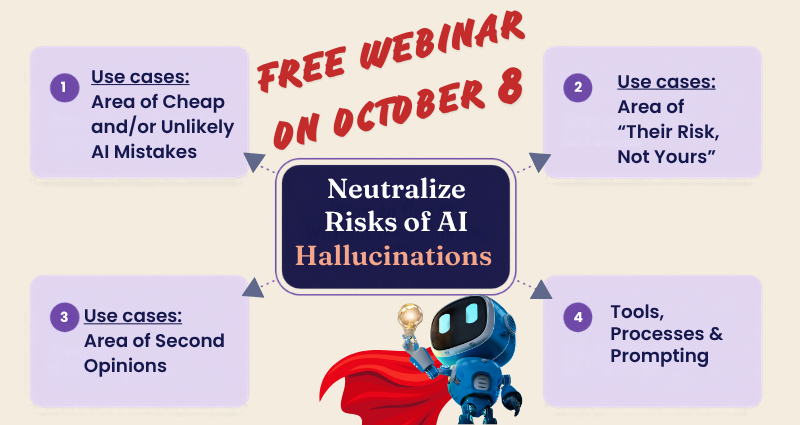
On Thursday, October 8, I’m hosting a free online webinar on proven strategies for using AI to save time and money while keeping its answers reliable and valuable to your business.
Register here: AI for Small Business: Reduce AI Hallucinations & Get Better Results
Thank you for reading today’s edition.
If this issue was valuable, pass it along to a fellow business owner. I’d love to hear your feedback at natalia@nataliabrattan.com.
See you next week!
Natalia