
👋 Welcome back to AI for SME Success, your weekly dose of practical AI insights for small businesses.
Today we cover:
- Is your AI site optimization working? New tools can tell.
- Vendor AI is everywhere. Only 15% of organizations fully track it
- GIFs get attention. Now ChatGPT makes them too
- How to use The 4-Hour Workweek in the AI era
Let’s dive in! 👇
🔍 Is Your AI Site Optimization Working? New tools can tell.
New free tools can show whether AI agents visit your site and what they to do there.
On November 4, 2026, two tech giants gave website owners new ways to see AI visits. Microsoft added Agentic Analytics, including an Agent Activity dashboard, to Clarity, its free website analytics tool, and Cloudflare launched similar analytics for sites on its network the same day. Both show which AI assistants visit your site on a customer’s behalf, and what they do there.
Here is some early data. In Microsoft’s study of 5.2 million agent sessions, the most common action was checkout (25%), followed by form submissions (20%), with appointment bookings at 8%. These figures show what agents attempted, not what they completed. Volumes are still small.
For now, Clarity and Cloudflare offer more visibility into AI crawler activity than Google Analytics, whose AI Assistant channel was added in May.
Using Clarity, now you can see which pages AI answers cite, spot AI crawlers that can’t reach your key pages and test whether supported AI agents can complete a purchase.
📉 Vendor AI Is Everywhere. Only 15% of Organizations Track It.
How to protect your business from vendors’ misuse of AI.
Your graphic designer, lawyer, marketing agency, bookkeeper and other vendors are likely using AI on your work without telling you. According to interim Ethics & Compliance Initiative survey results from November 2026, only 15% of organizations track how all their third parties use or govern AI.
Here are examples of how such lack of oversight can backfire.
In some Canadian markets, “a good portion” of real estate listings now use AI-altered images, CBC reported this fall. Regulators hold agents and brokerages responsible for those images, not the photographers they hire. Earlier this year a RE/MAX agency had to apologize after the photographer they hired used AI to add windows, a fence and bushes to a home’s facade.
Here is another example. In a New York trademark case, a lawyer who was hired by a business ran its court brief through three rounds of AI review but never checked the citations himself. Fourteen of the 60 cases he cited didn’t exist. The judge struck the company’s filings and entered a default judgment against it, so the business lost the case.
Actions to take: Whoever’s AI made it, your name is on the final product. Make AI clauses standard in every vendor agreement: disclosure of AI use, no training on your data, human review of AI output and liability for AI errors. And for anything that goes out under your name, ask who checked it for accuracy.
🎞️ GIFs Get Attention. Now ChatGPT Makes Them Too
Small businesses can capture instant attention with quick, looping GIFs.
Examples include swapping outfits with a snap, a product flexing to show its versatility, a food brand drizzling warm syrup over a dish and so much more.

GIFs get business results. One small online dress store tripled its email click-through rate with GIFs. A contact lens brand got 50% more website visits with GIF stickers in Instagram Stories ads.
ChatGPT couldn’t make animated GIFs in one step until November 4, when they released Images 2.6. Watch OpenAI’s GIF demo. ChatGPT Images 2.6 also saves reference images, so your mascot or product stays consistent without re-uploading. OpenAI hasn’t said how they’re stored or deleted, so leave photos of staff and customers out.
Other tools got there first. Meta AI makes free AI GIFs too, and they look as good. Midjourney and Gemini, both paid, turn photos into smoother short videos, and Canva and Adobe Express add preset motion to your designs, great for sale banners.
✂️ How to Use The 4-Hour Workweek in the AI Era
Don’t let AI amplify useless business tasks.
Tim Ferriss’s The 4-Hour Workweek spent four years on The New York Times bestseller list, was translated into more than 40 languages and has sold more than two million copies. Few business books have pushed more readers to leave their jobs and become entrepreneurs. Well-known names including Ali Abdaal, Pat Flynn and Mark Manson credit it with shaping their businesses.
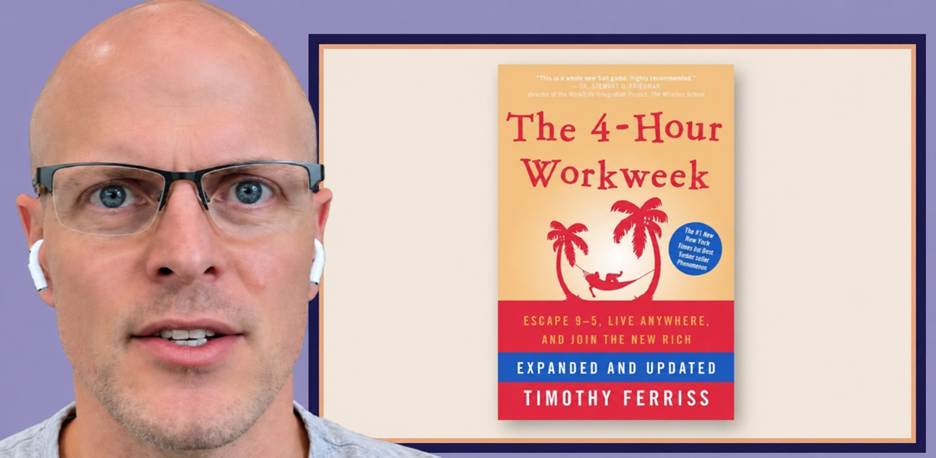
Source: The 4-Hour Workweek in a World of AI YouTube video by Tim Ferriss.
The book’s main message: cut low-value work, automate or outsource the rest, and spend the time you win back on travel, mini-retirements and projects you love.
In a recent video, Ferriss explains how AI changes his concept. AI amplifies whatever you’re already doing, valuable or not. By his own estimate, in more than 90% of the AI use cases he has seen, people are speeding up tasks that probably shouldn’t be done at all. Instead of freeing up time, they’re using AI to create more work.
In practical terms: don’t get lost in endless conversations with AI on various topics, and don’t try to apply AI to many tasks and projects at once. Cut first.
Thank you for reading today’s edition.
If this issue was valuable, pass it along to a fellow business owner. I’d love to hear your feedback at natalia@nataliabrattan.com.
See you next week!
Natalia